Alexandria
Download

One machine for everything you read and hear.

Read PDF, EPUB and DOCX. Listen to audiobooks, podcasts and radio from around the world. Free, with no account.

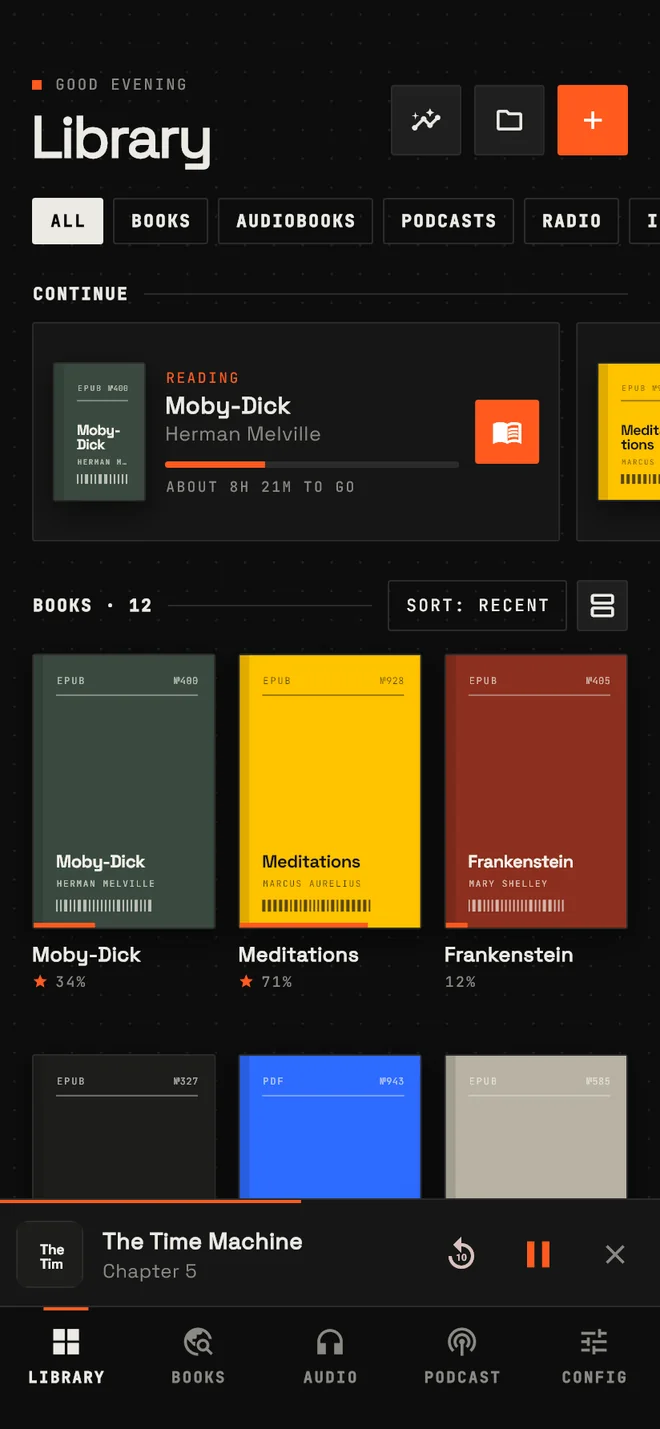
LibraryYour books, audiobooks and shows on one shelf.

Turn the ring, or use the arrow keys.

The Library screen of Alexandria: a continue-reading card above a grid of book covers.

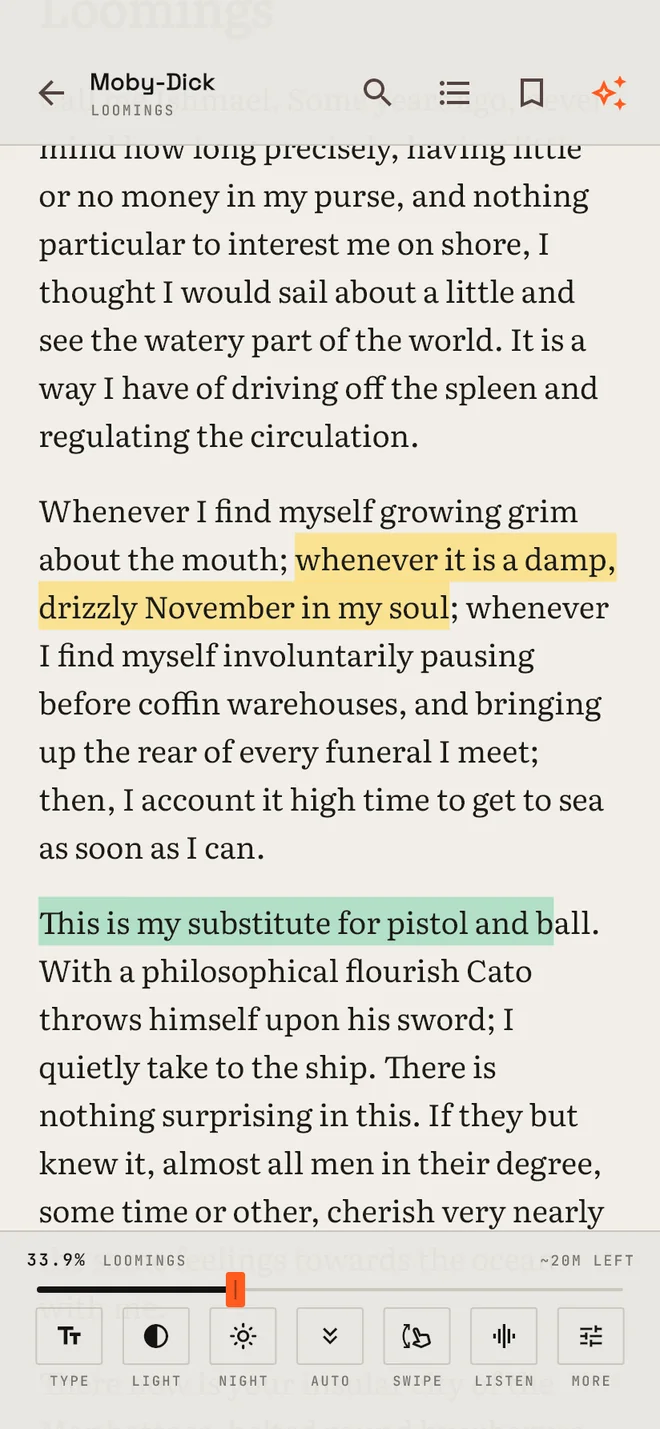
Set the page the way you read

Every control on this bench is in the app. Move one and the page answers.

Literata, 19 ptPaper

Loomings

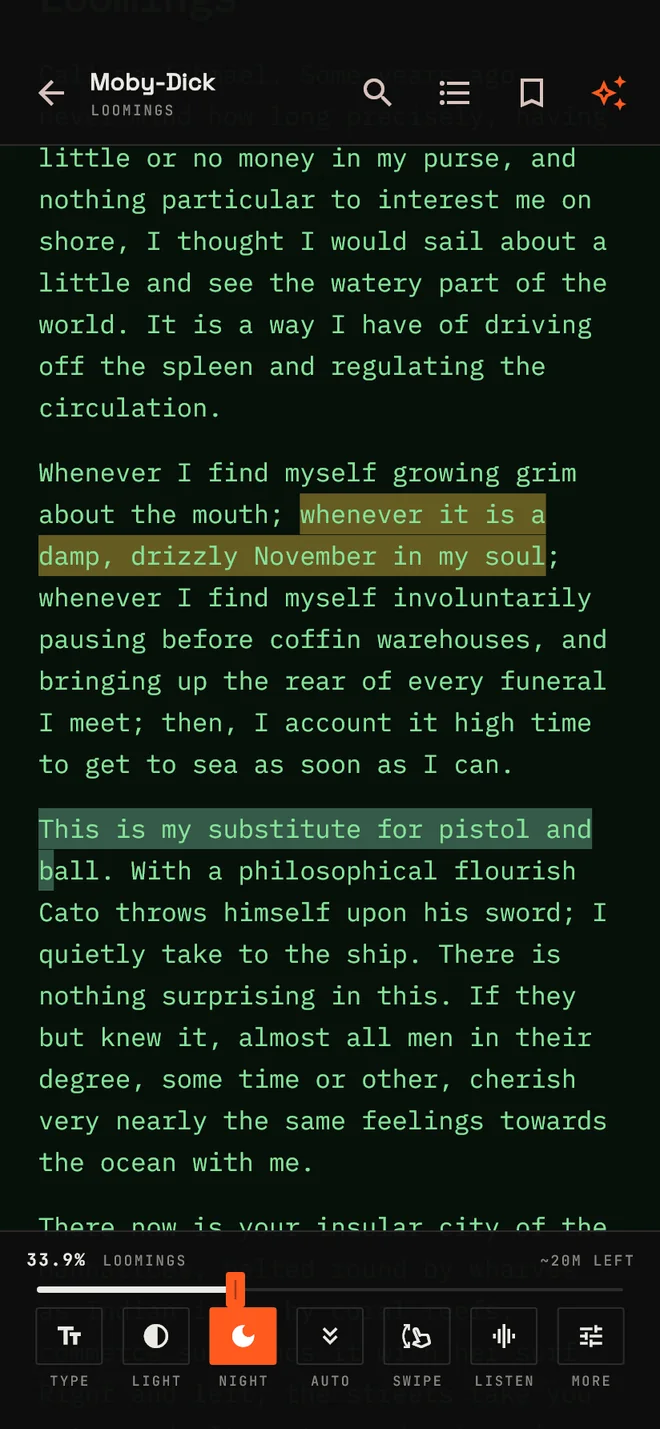
Call me Ishmael. Some years ago, never mind how long precisely, having little or no money in my purse, and nothing particular to interest me on shore, I thought I would sail about a little and see the watery part of the world.

It is a way I have of driving off the spleen and regulating the circulation. Whenever I find myself growing grim about the mouth; whenever it is a damp, drizzly November in my soul; then, I account it high time to get to sea as soon as I can.

This is my substitute for pistol and ball. With a philosophical flourish Cato throws himself upon his sword; I quietly take to the ship.
Page surface
Typeface
Marker colour

Select words on the page to mark them. Tap a mark to clear it.

Three ways through a book

Swipe

The book as a stack of cards, each filled to fit your screen. Go up or sideways, or let them advance at your own words per minute.

Auto-scroll

Hands free, from a crawl to a sprint. Put a finger on the page and it holds.

The reader on a paper surface, with two highlighted passages and the control bar open.

Tap and slide

Tap zones turn the page, and so do the volume keys, in whichever direction you like. Slide the screen edge for brightness or text size, on whichever side you choose.

Eleven surfaces, and every setting

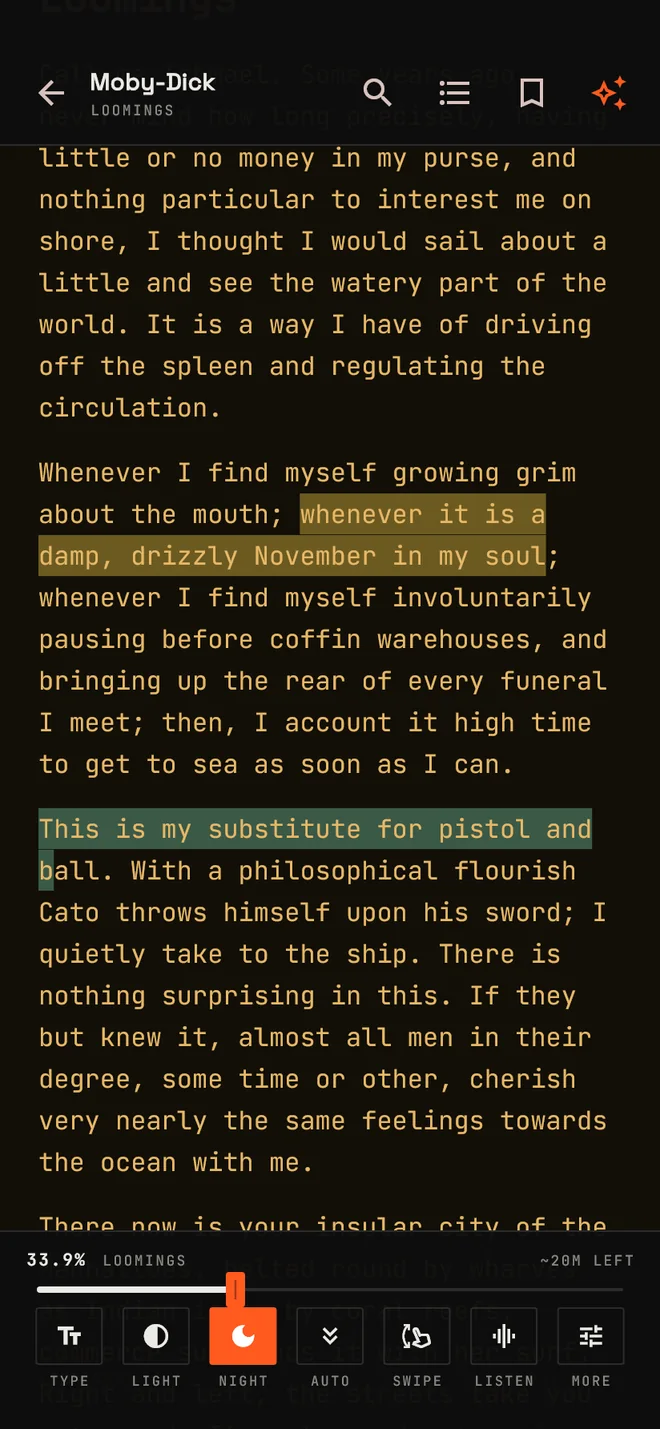
The reader on the Amber CRT surface in JetBrains Mono.
Amber CRT
The reader on the Phosphor surface in IBM Plex Mono.
Phosphor
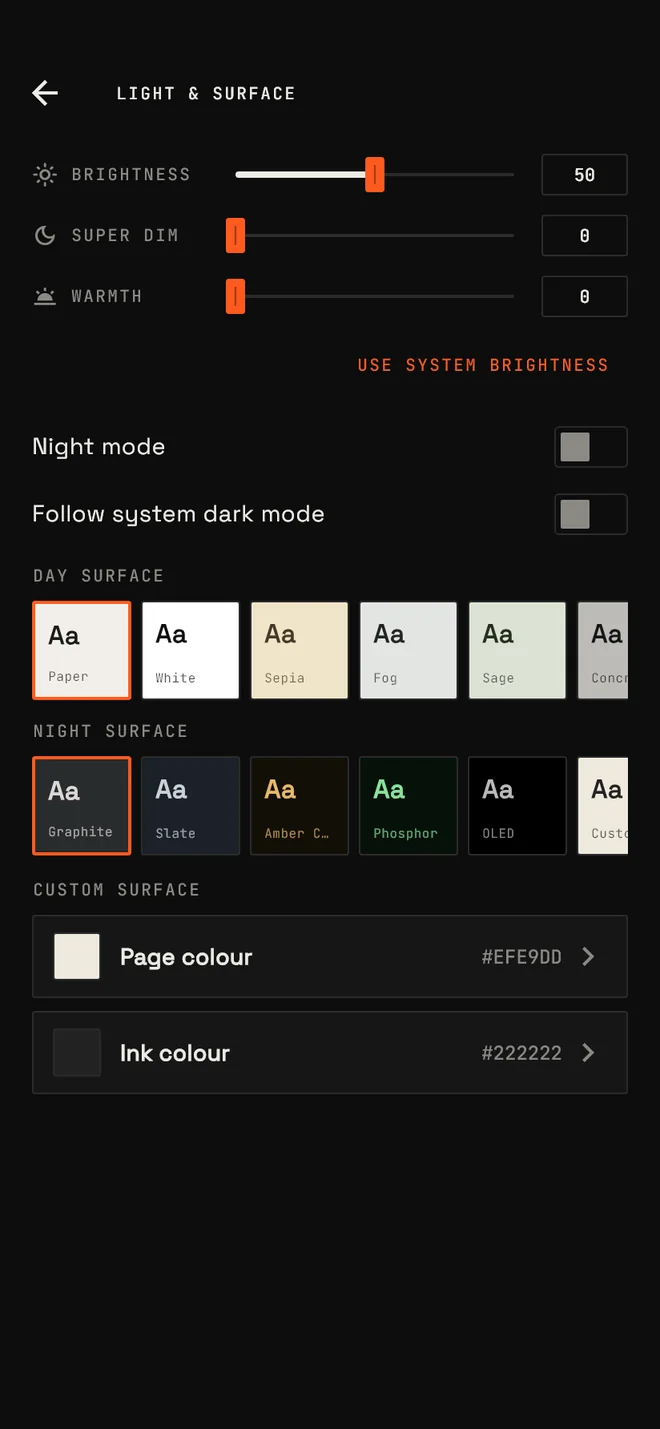
The Light and surface settings: brightness, super dim, warmth and the day and night surfaces.
Light and surface
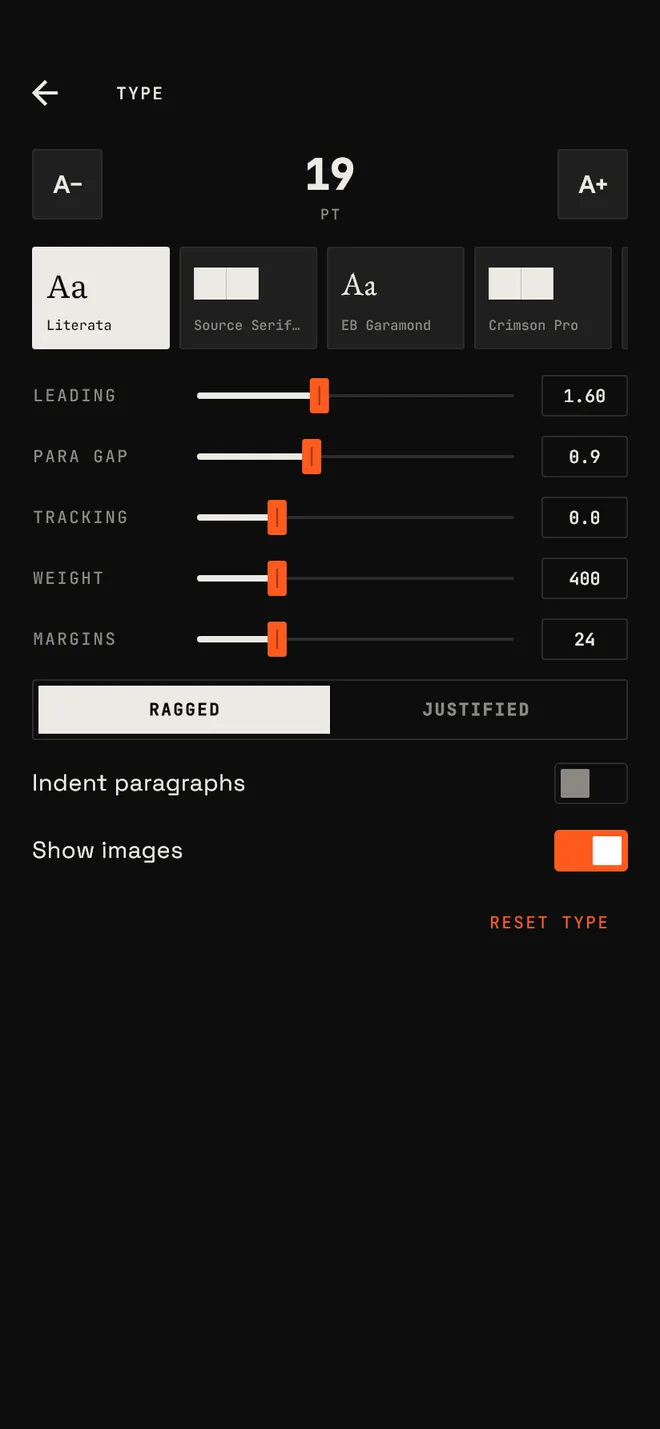
The Type settings: typeface, leading, paragraph gap, tracking, weight and margins.
Type

Ask the book, in the margin

Connect your own key from Google or Vercel AI Gateway. The companion knows how far you have read, and keeps quiet about the rest.

Select any passage

  • Chat about the whole book, or just one passage.
  • Recap what you have read so far, picking up after a long gap.
  • Pitch answers simple, clear or expert, in the language you choose.
  • See what each model and voice has cost you in the usage log.
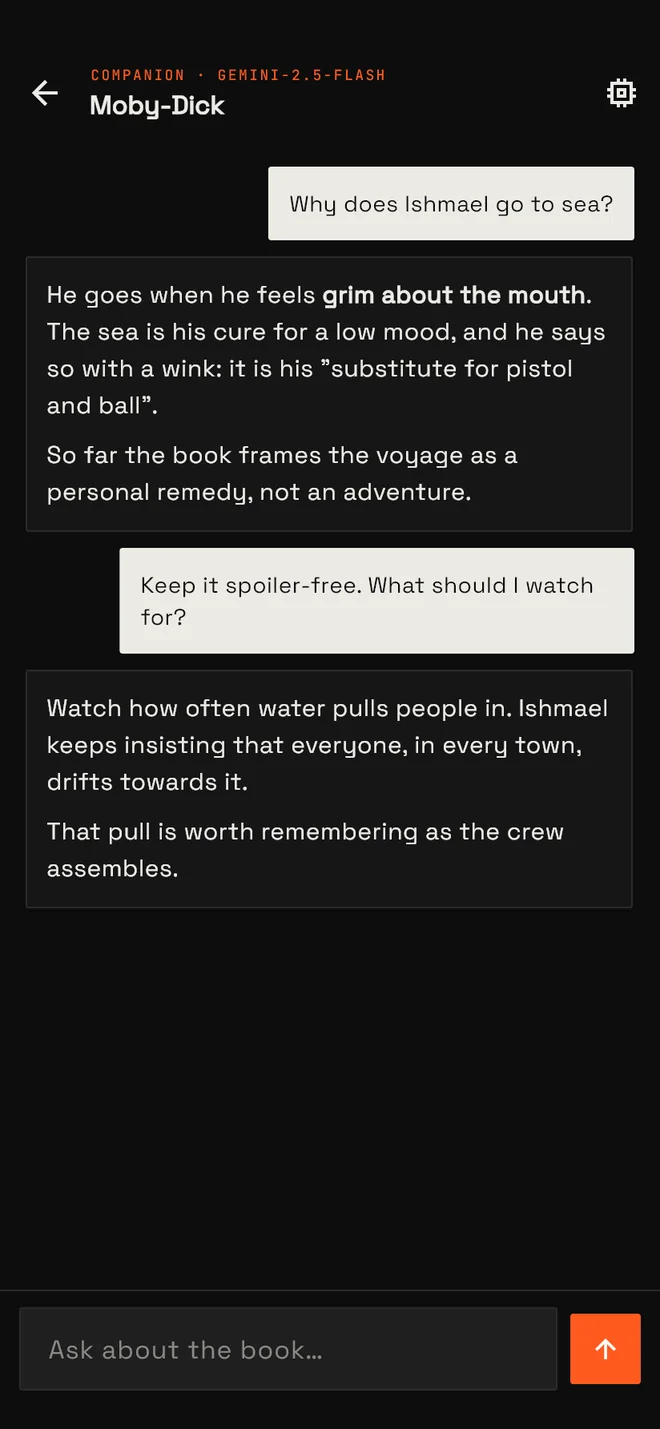
A chat with the AI companion about Moby-Dick, answering without spoilers.
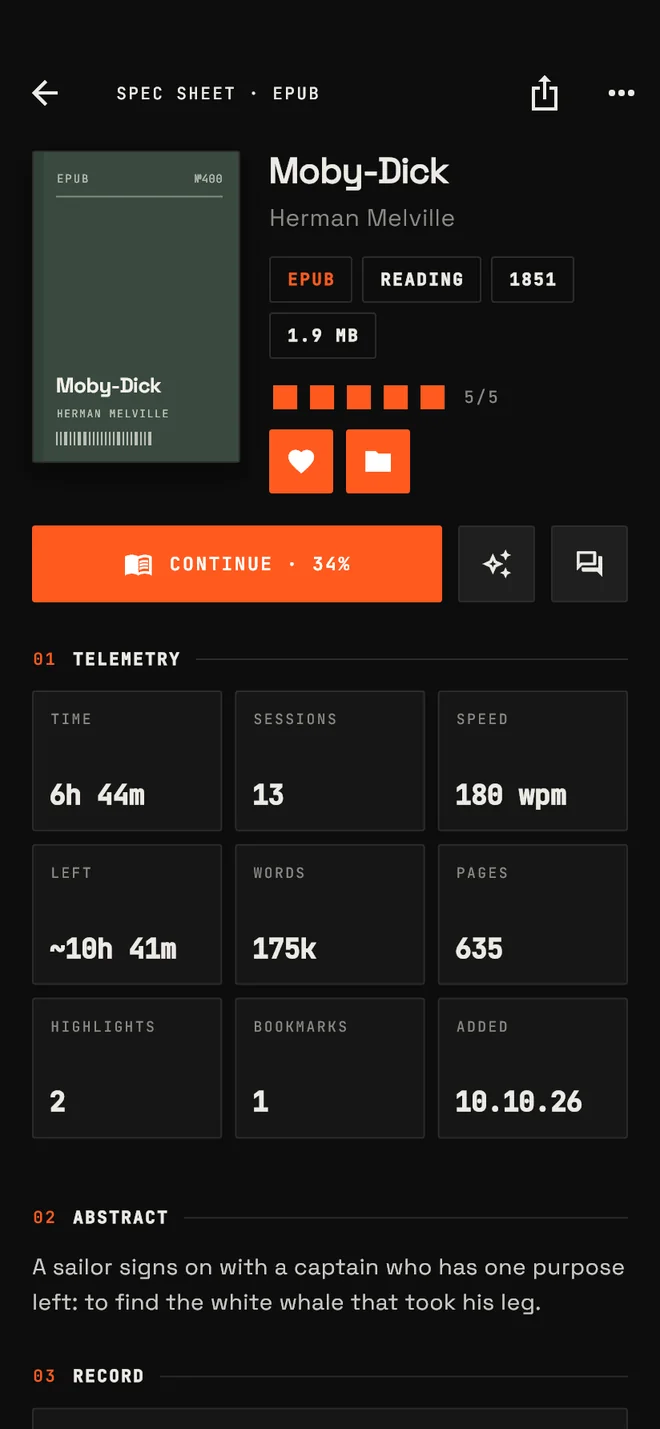
The book detail screen with rating, format, reading speed and time left.

Tune to anything spoken

Four bands on one dial. They all share the same player, keep going in the background, and stay on your lock screen.

Audiobooks

    Keep track of all of it

    Finding, filing and counting, across everything on your shelf.

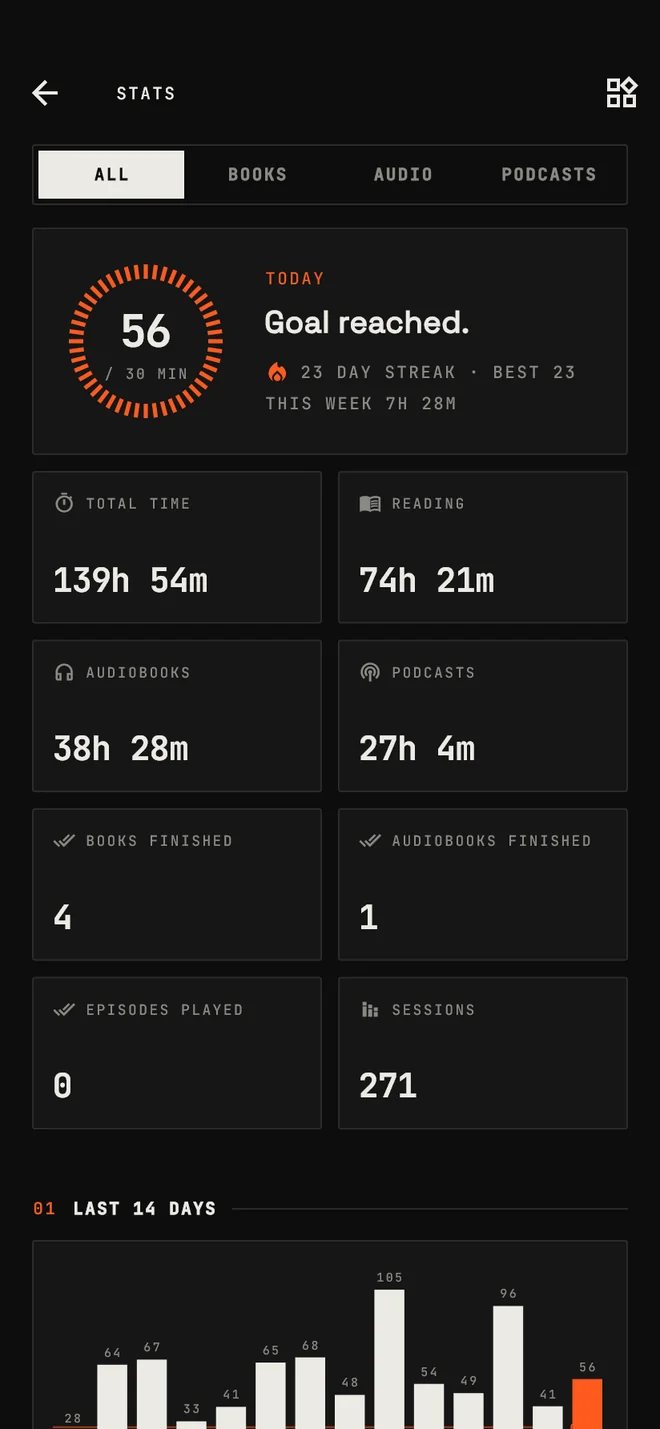
    56of 30 min

    Set goals for minutes a day, books and audiobooks a year, and episodes a week. Time is counted per kind, along with your streak.

    The stats screen: today's goal ring, a 23-day streak, totals by kind and two weeks of bars.
    Stats
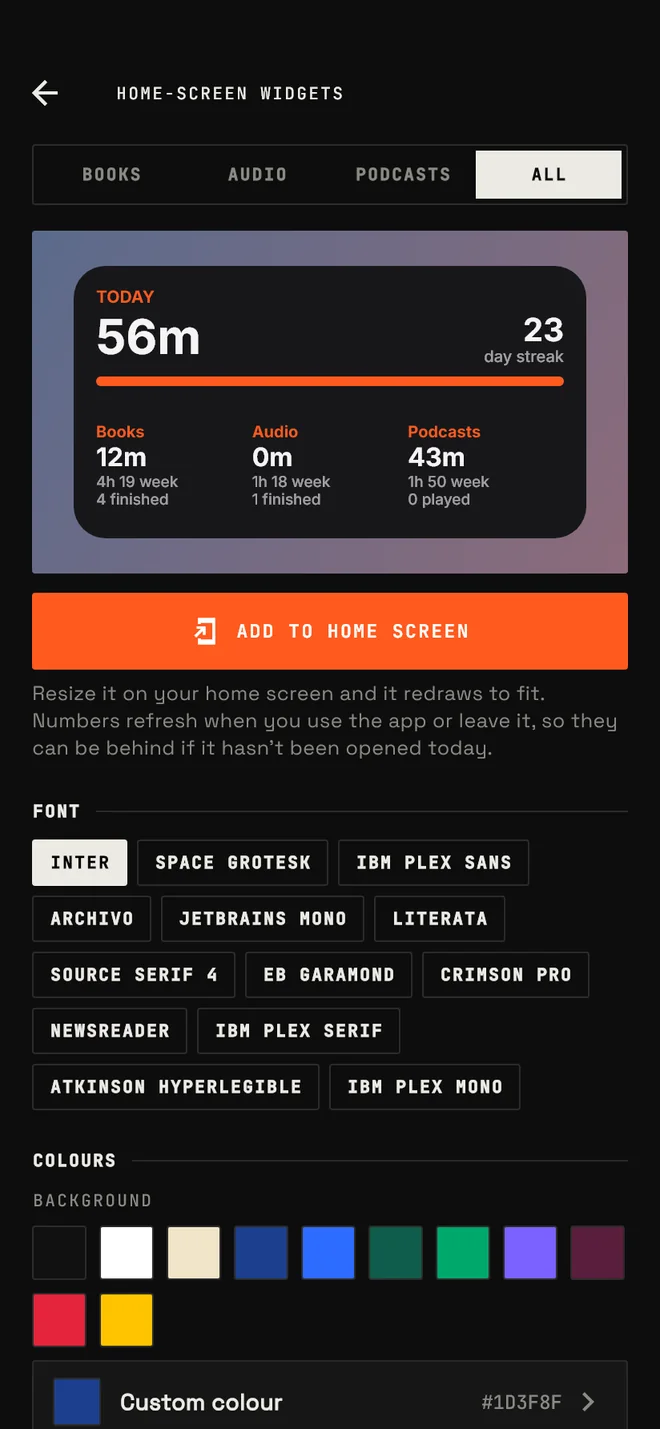
    The home-screen widget customiser with font and colour options.
    Home-screen widgets
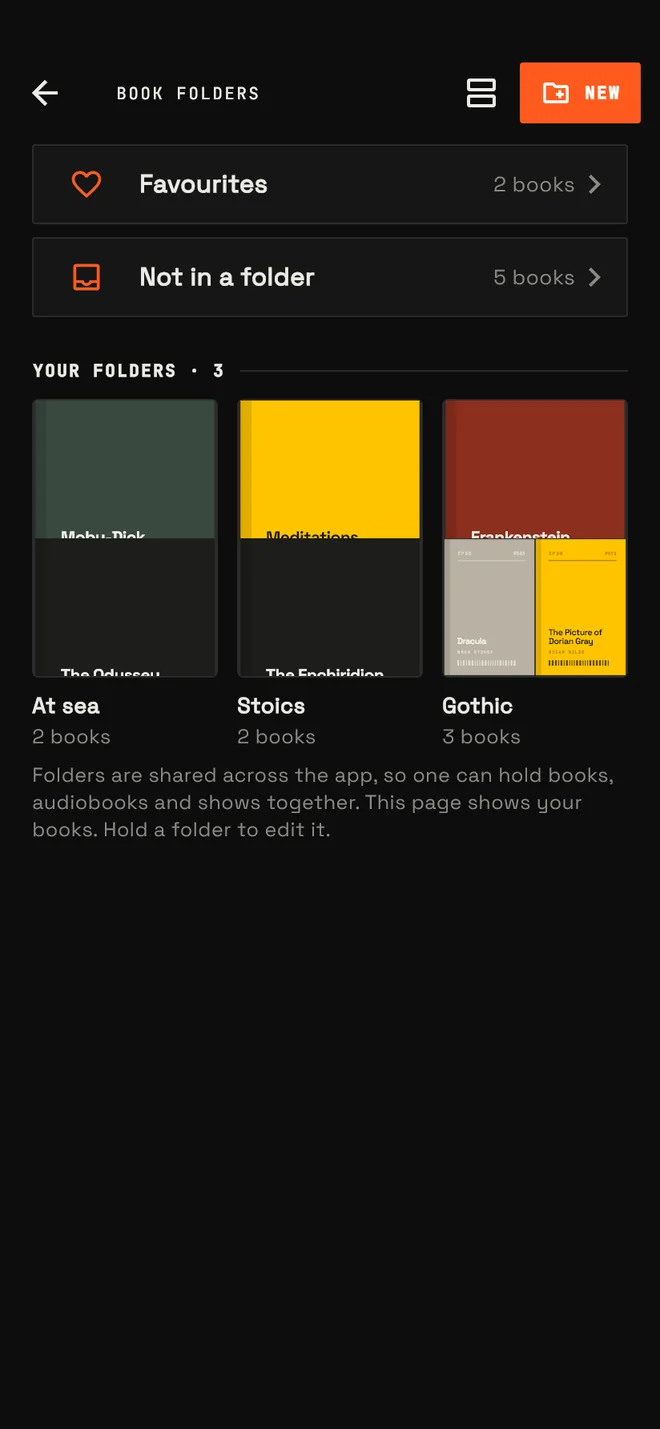
    Book folders, with smart rows for favourites and unfiled books above your own folders.
    Folders
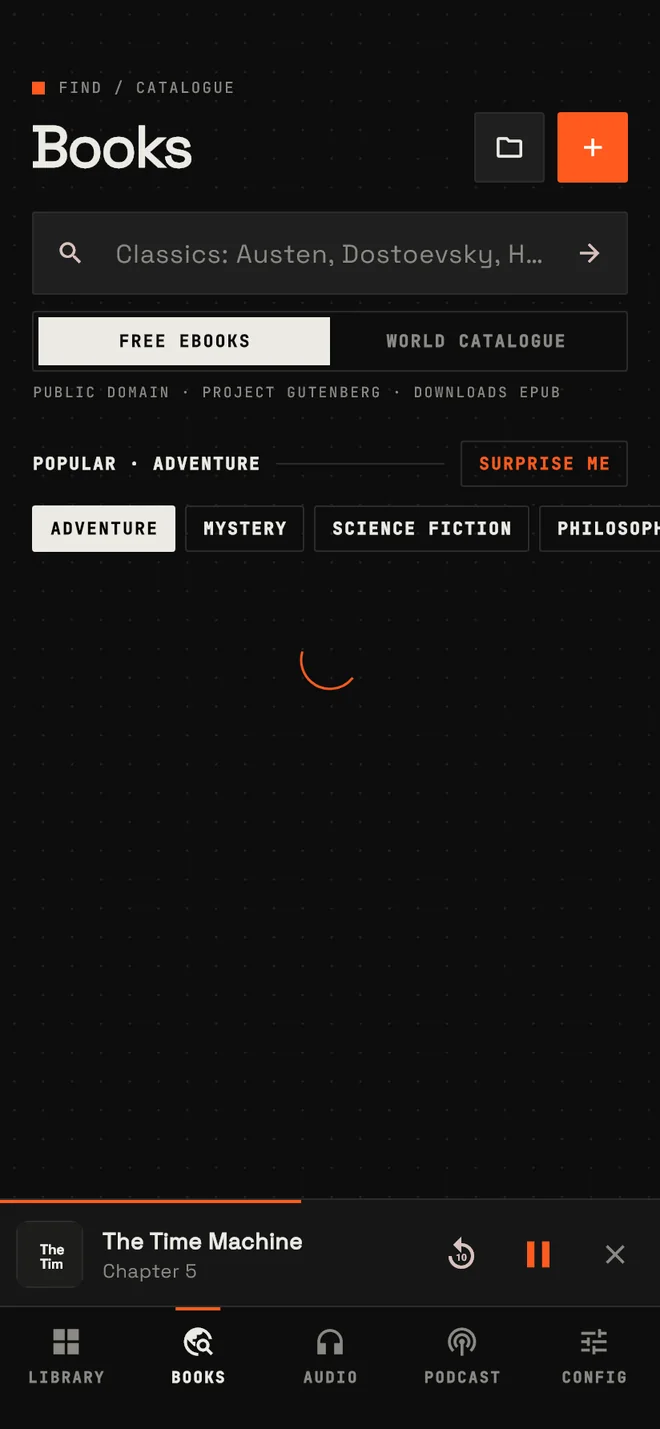
    The Books screen listing free EPUBs from Project Gutenberg, each with a Get EPUB button.
    Free books

    Find. Free EPUBs from Project Gutenberg in one tap, or the whole Open Library catalogue for your want-to-read list.

    File. One folder can hold books, audiobooks and shows together. Favourites and unfiled items sort themselves.

    Search. Every search bar keeps its own recent searches, and you can clear them one at a time.

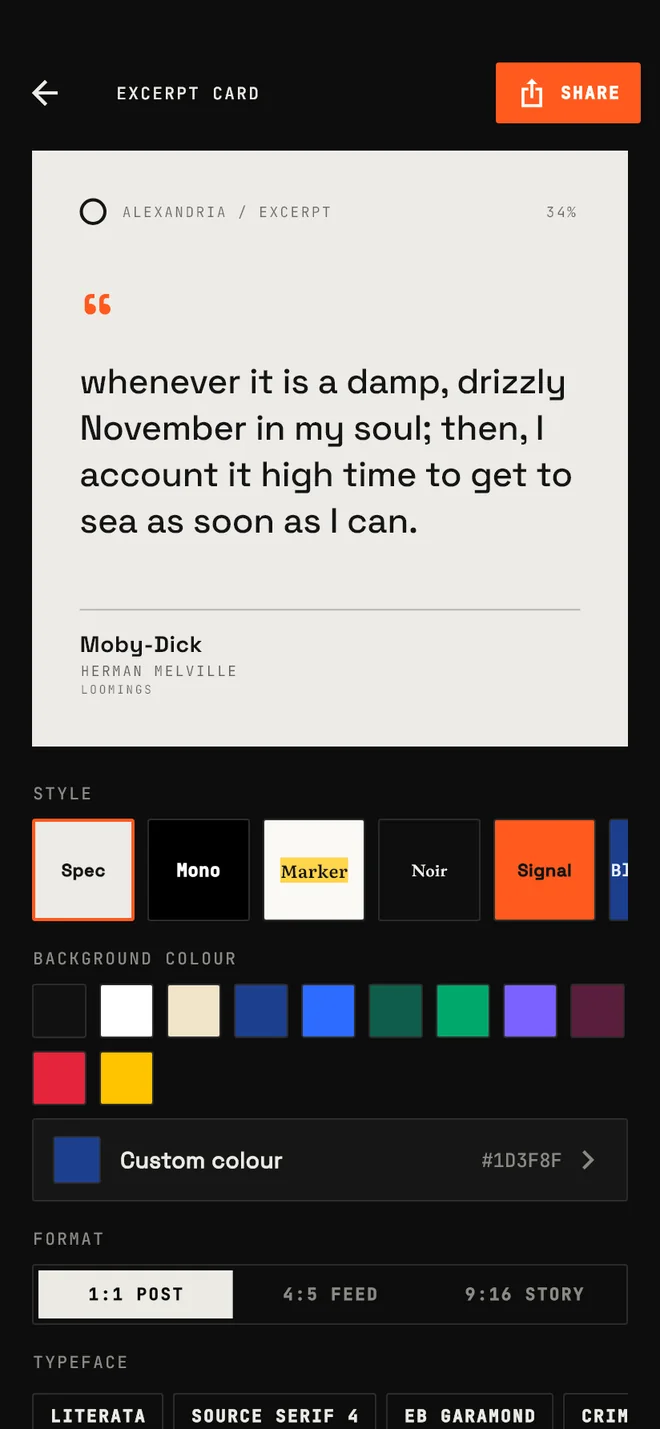
    Send a passage out

    Turn a highlight into a card worth posting. Eight styles and three sizes, ready for the feed or a story.

    Style
    Size
    The card studio in the app: a preview above style, background colour, format and typeface controls.

    The real studio in the app also lets you pick any background colour and typeface.

    Alexandria / excerpt

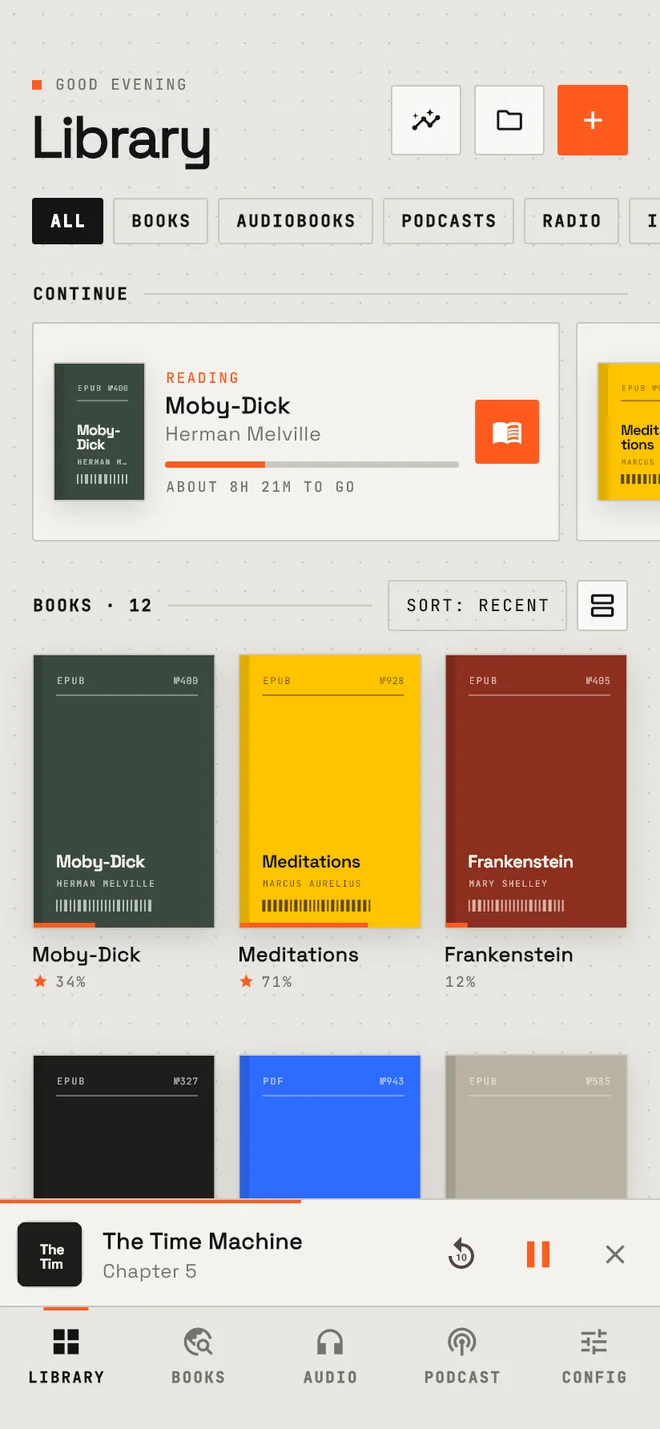
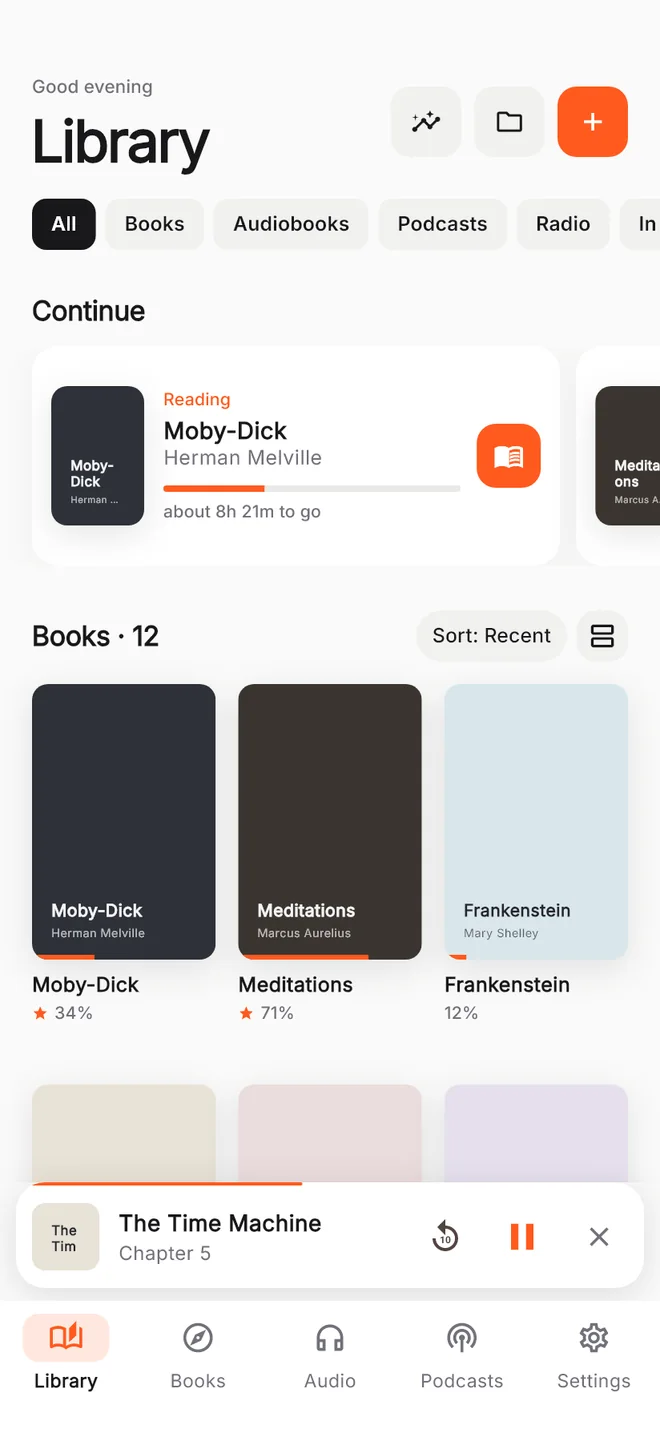
    Two machines in one

    Industrial is hairlines, monospace and hard corners. Zen drops all of that for something soft and quiet. Every screen follows, and so does this site's accent below.

    Accent

    Signal orange

    Also yours to change: corner radius, five interface fonts, the dot grid, haptics, and any custom colour from a full picker.

    The Library in the Industrial look.
    The Library in the Zen look.

    Data sheet

    Everything the app does, in one table.

    Put it on your phone

    Alexandria is an Android app. Get the latest APK from the GitHub releases page and open it on your phone. Android may ask you to allow installs from your browser the first time.

    No account and no sign-in. Your library lives on your phone, and a full backup is one JSON file.

    The screenshots are real app screens with demo data. Moby-Dick and the other books shown are in the public domain.